Join the Clip Genie Discord
Help, ideas, bug reports, updates first, and show off your TikToks.

Your stream, already cut into TikToks.
Paste a Twitch VOD or clip. Clip Genie finds the best moments, puts your webcam and gameplay into a vertical video, and gets it ready to post. No editing skills needed. With built-in AI.
Downloads are paused while we build the next big update. Join the Discord to hear first.
How it works
Four steps from VOD to video
Real screenshots from Clip Genie, made from one of our own streams.
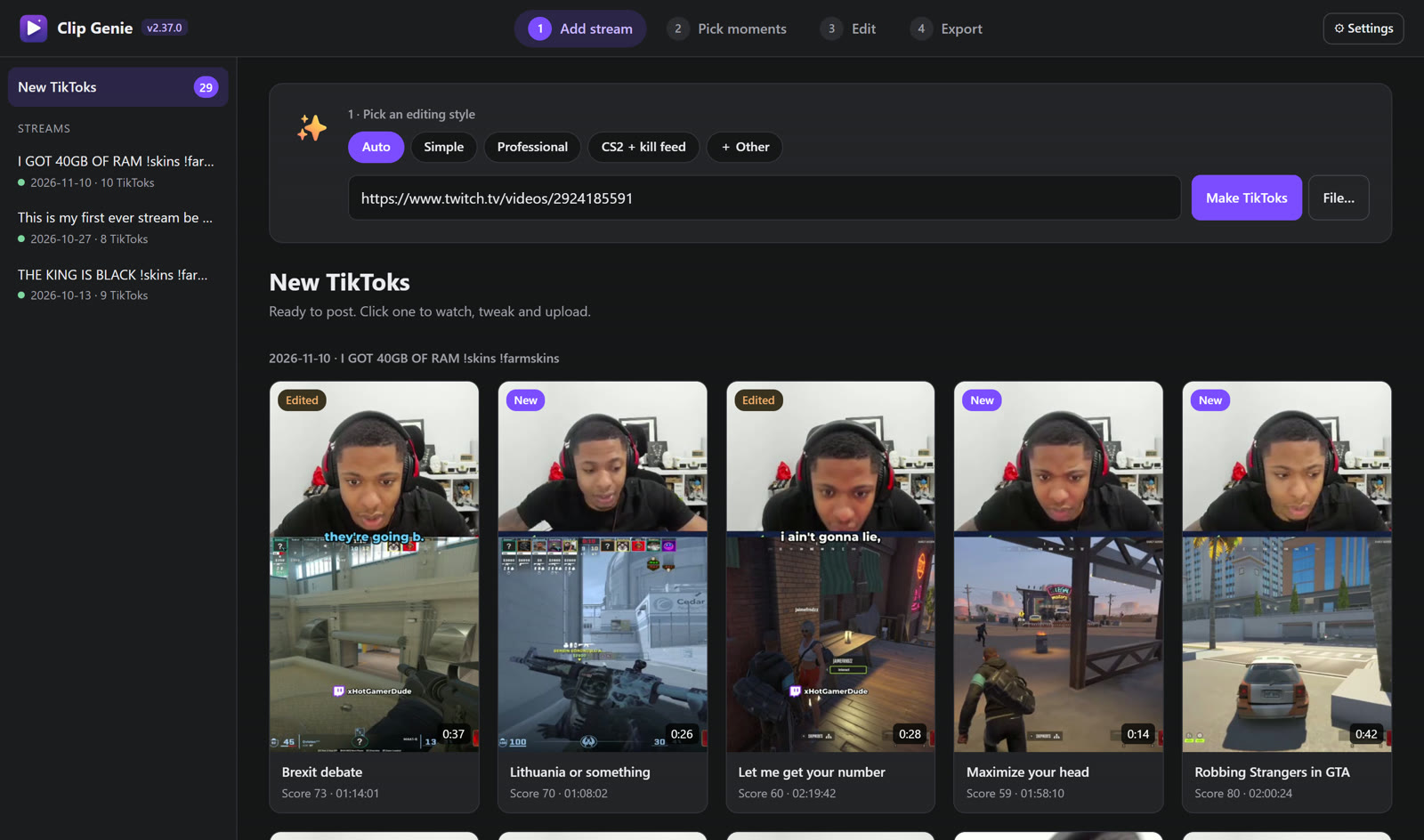
Paste a link
Pick an editing style, then paste a Twitch VOD, a Twitch clip or a video file. Only want part of a long VOD? Pick a start and end time.
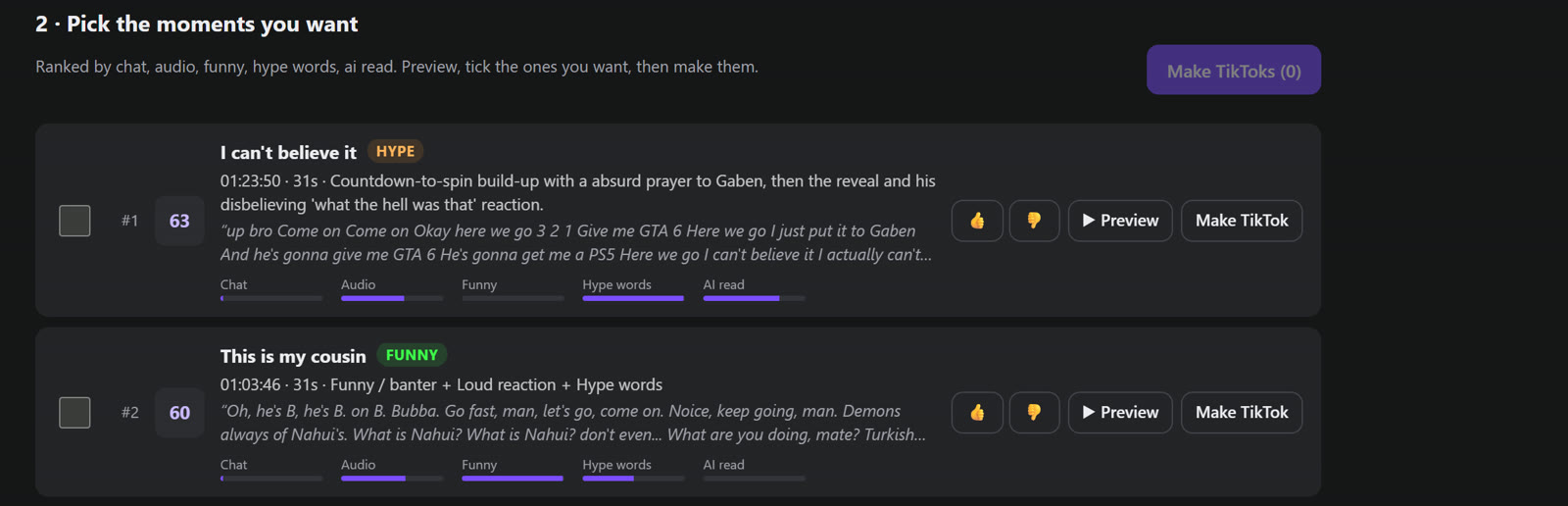
Pick the moments
Clip Genie listens to you, reads your chat and checks viewer clips, then ranks the best moments with a reason for each. Tick the ones you want.
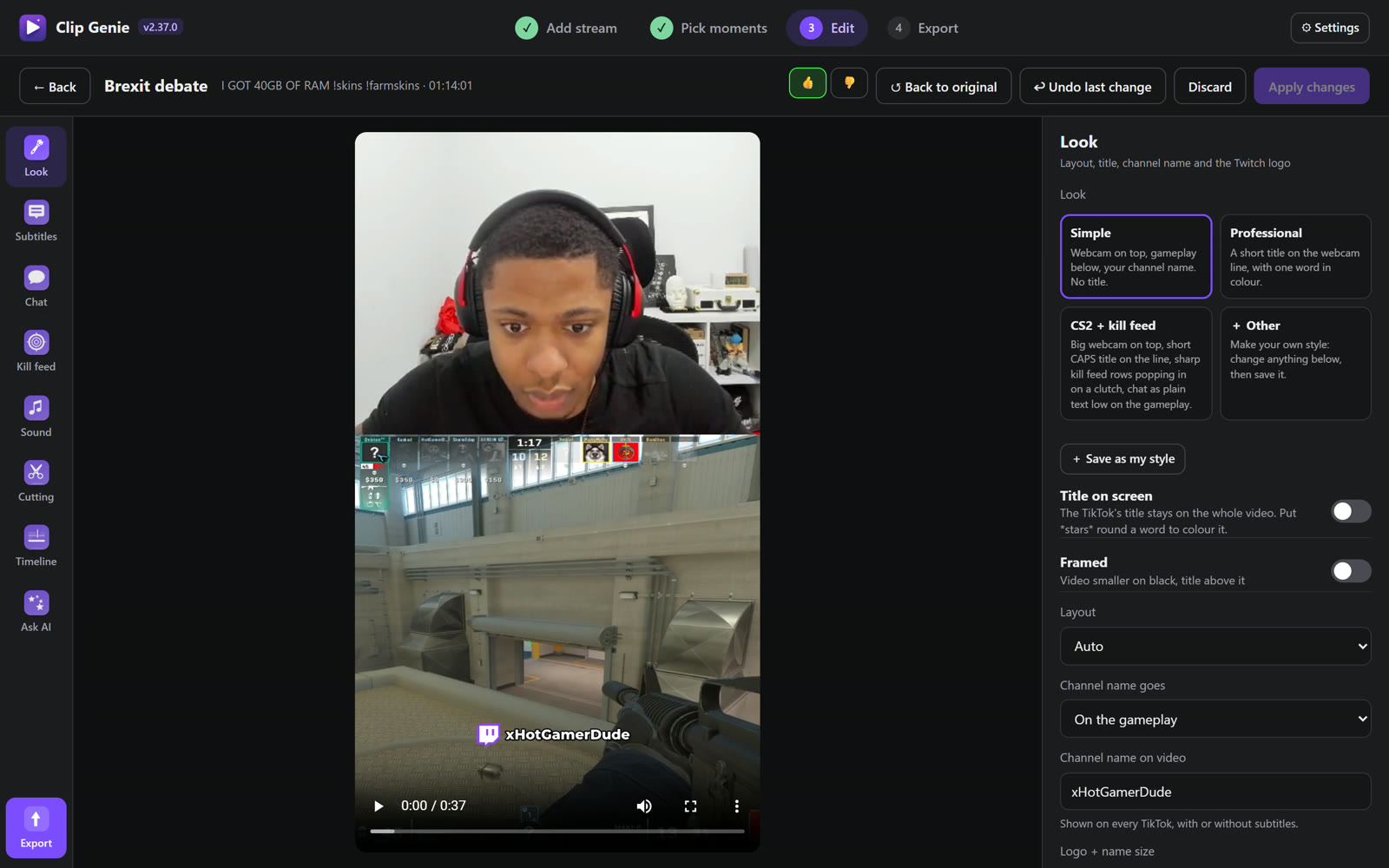
Tweak it
Every TikTok opens in the editor: look, subtitles, chat, kill feed, sound, cuts and a timeline. You see the 9:16 video right there.
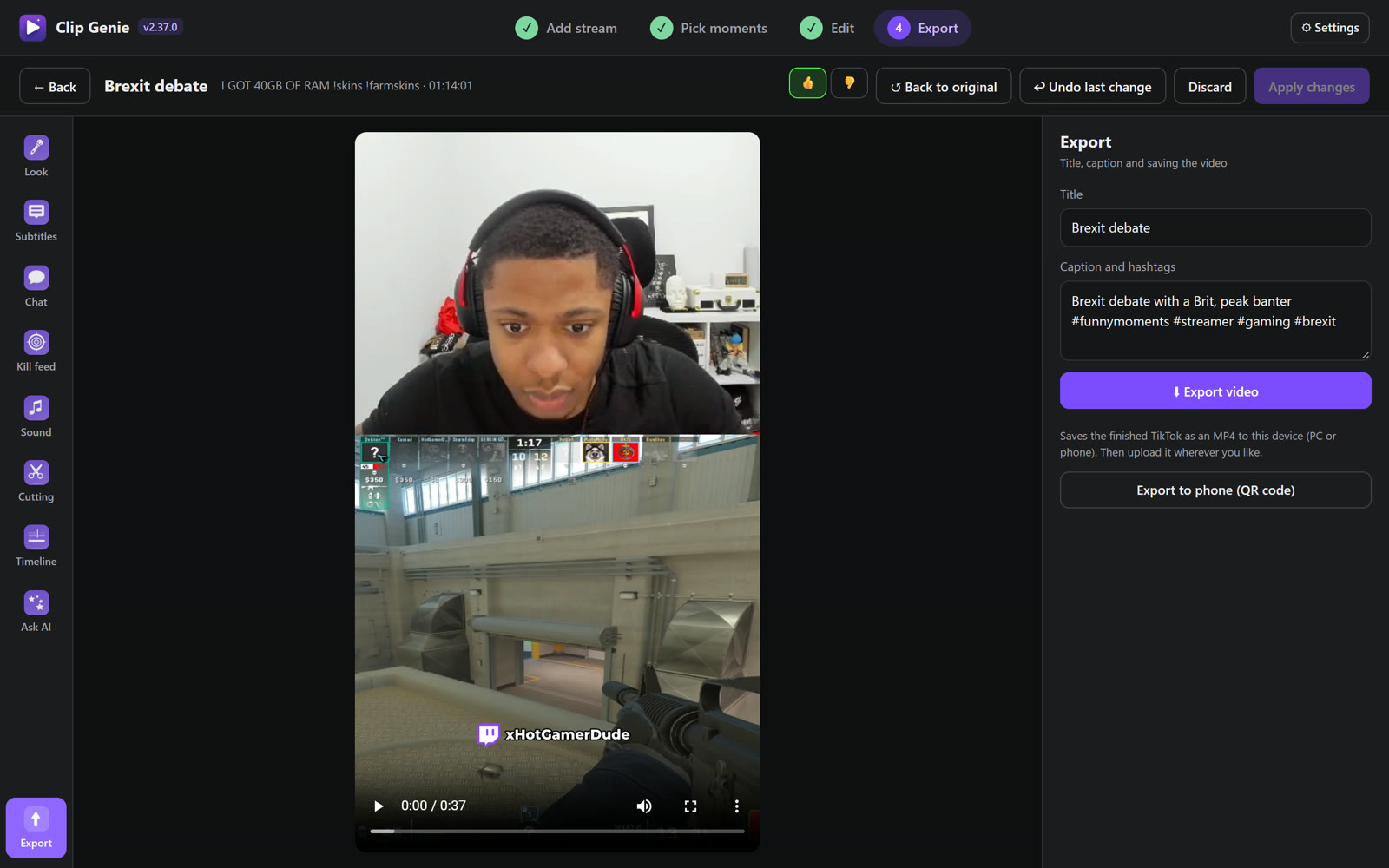
Export
Title and caption are written for you. Save the MP4 to your PC, or scan a QR code to get it straight onto your phone.
What it does for you
Edited like a real editor would
Finds your webcam
Crops your camera and the gameplay into a clean split, or goes full-webcam for talking clips. Decided per clip, automatically.
Cuts the dead air
Pauses and filler words go. Gunshots, kills and the payoff stay, and the ending gets room to land.
Titles on the line
A short title sits right where the webcam meets the gameplay, with your channel name tagged on every video.
CS2 kill feed
Reads the kill feed from your stream and redraws it sharp and clean, with the right guns and headshots.
Subtitles & chat
Optional subtitles in different styles, other voices in their own colour, and the one chat message that explains the clip.
Runs on your PC
Speech-to-text and rendering happen on your own computer, using your graphics card when it can.
Built-in AI
Finds the funny bits, writes titles and edits on request ("make it longer"). Already inside the app: no API key, nothing to pay.
Learns your taste
Thumbs up or down on moments and Clip Genie learns what you like, so the picks get better every stream.
Get it
Downloads are paused
We're working on a big update. Clip Genie will be back soon. Join the Discord to hear first when it's out.
Already have it and found a problem?
Tell us in the Discord with what went wrong, the stream link and roughly when. If something breaks, also attach the file %APPDATA%\GenieStudioFX\ClipGenie\engine.log. Paste that line into the File Explorer address bar to find it.